01
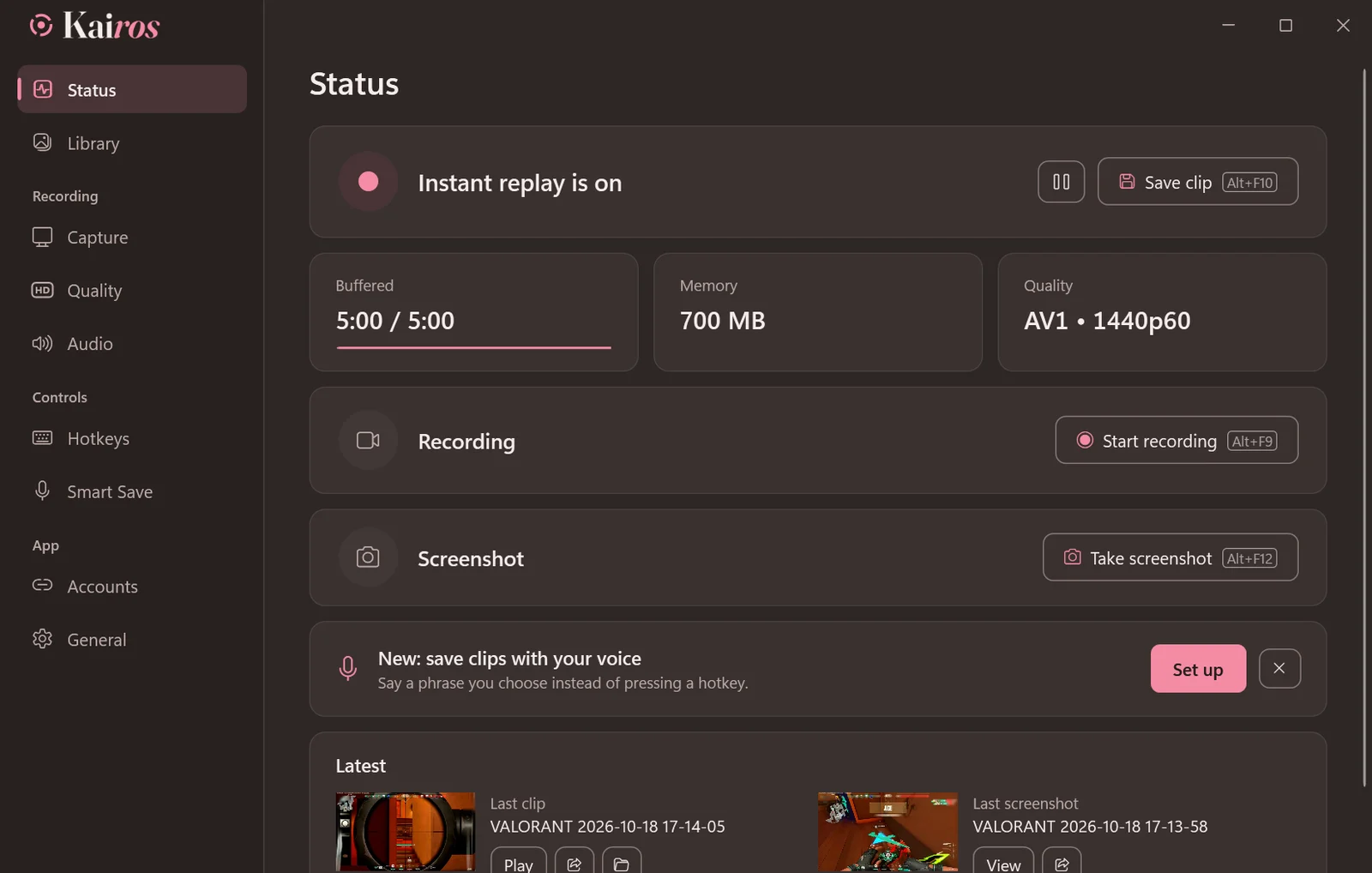
Say it, and it’s saved
Record your own phrase in any language or dialect, then say it mid-game to save the last minutes. It runs offline on your PC, and the phrase inside a sentence never saves by mistake.
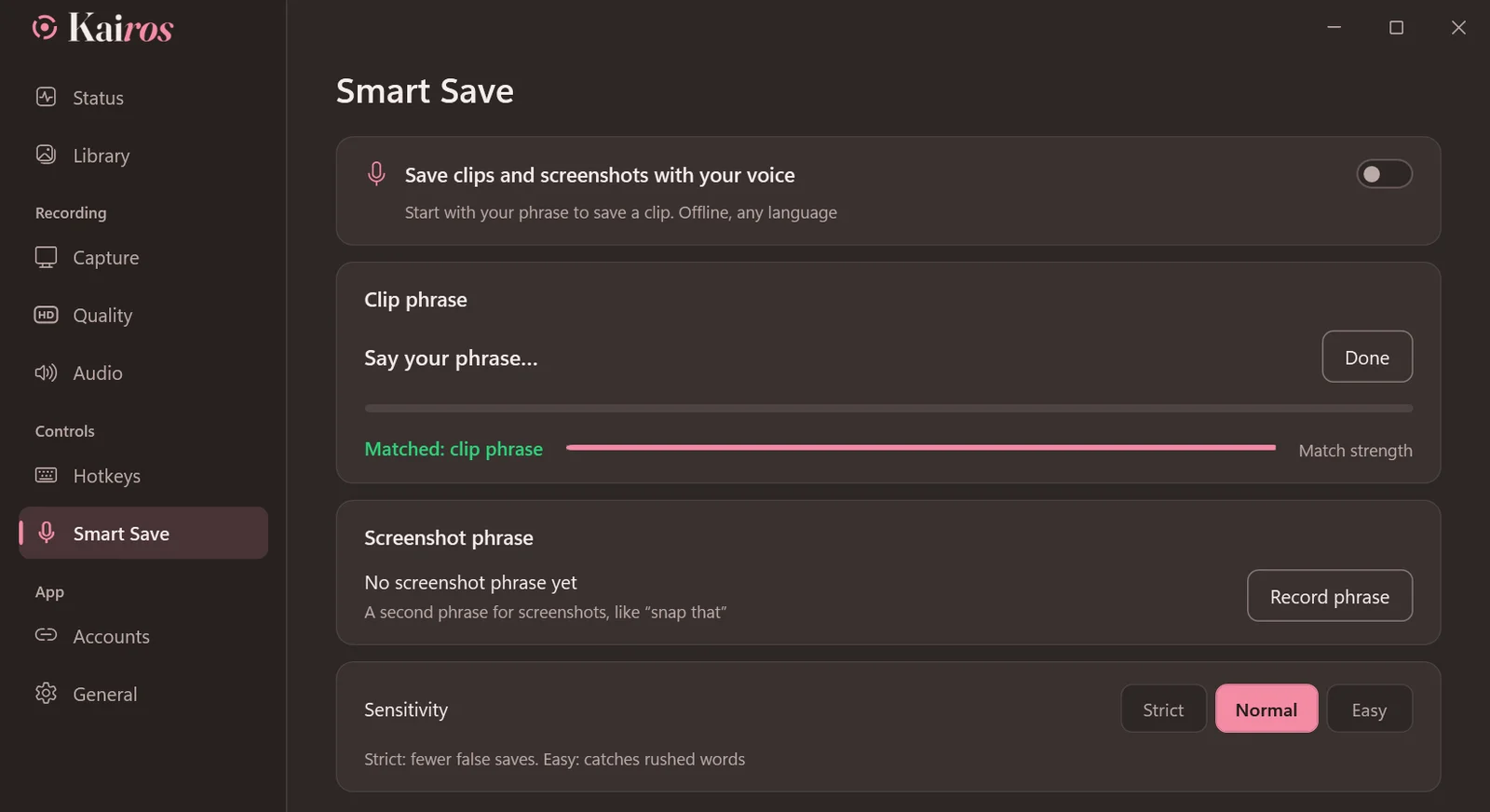

Your best plays, saved the moment they happen.
Kairos keeps the last minutes of your game ready. Press your key or say your phrase and the clip is saved, then cut it, caption it and share it without leaving the app.
Free and open source · Windows 10 and 11
01
Record your own phrase in any language or dialect, then say it mid-game to save the last minutes. It runs offline on your PC, and the phrase inside a sentence never saves by mistake.
02
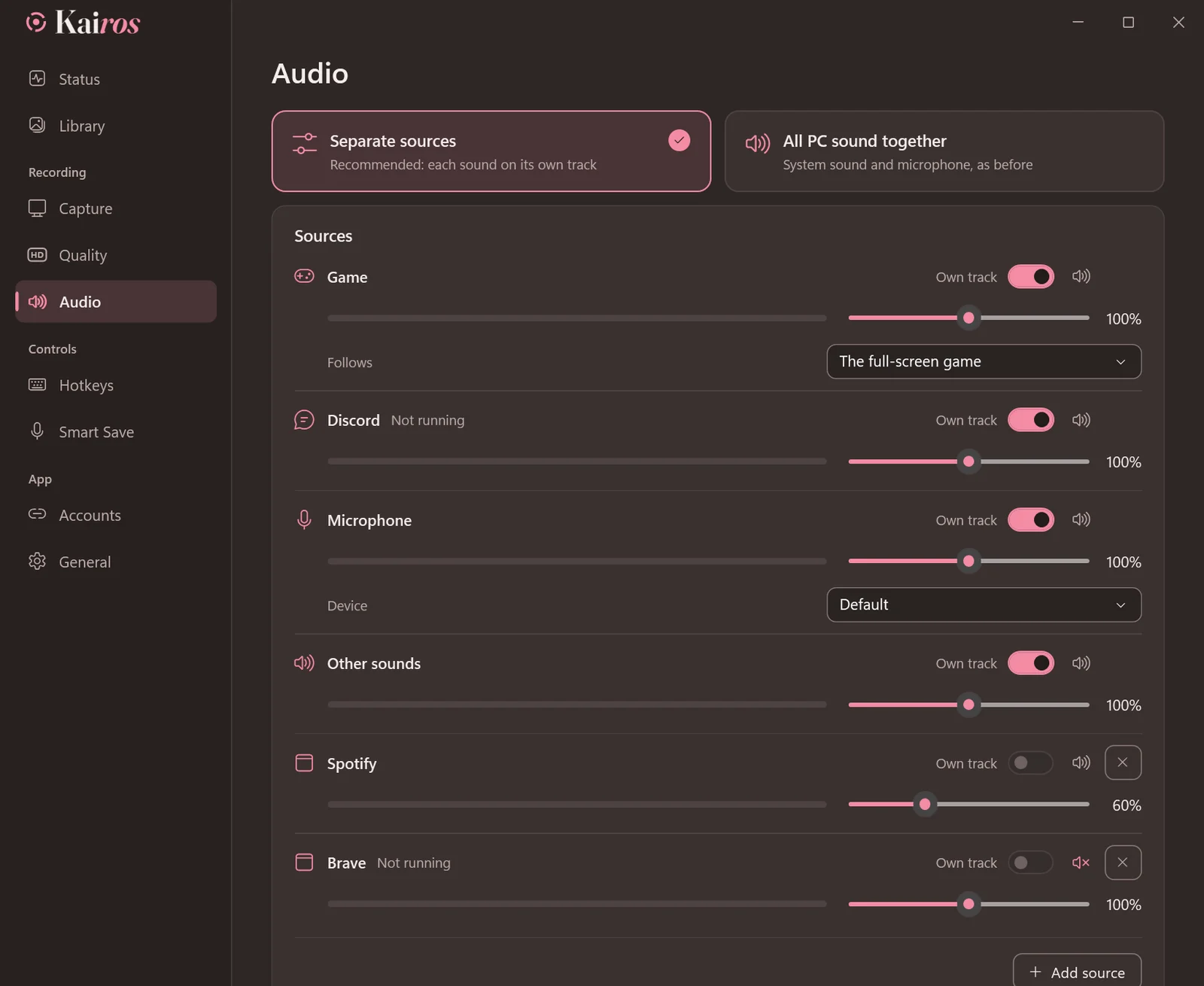
A row for each source: game, Discord, music, microphone or any app, each with its own level and, if you like, its own track. SteelSeries Sonar and GoXLR are set up by themselves.
03
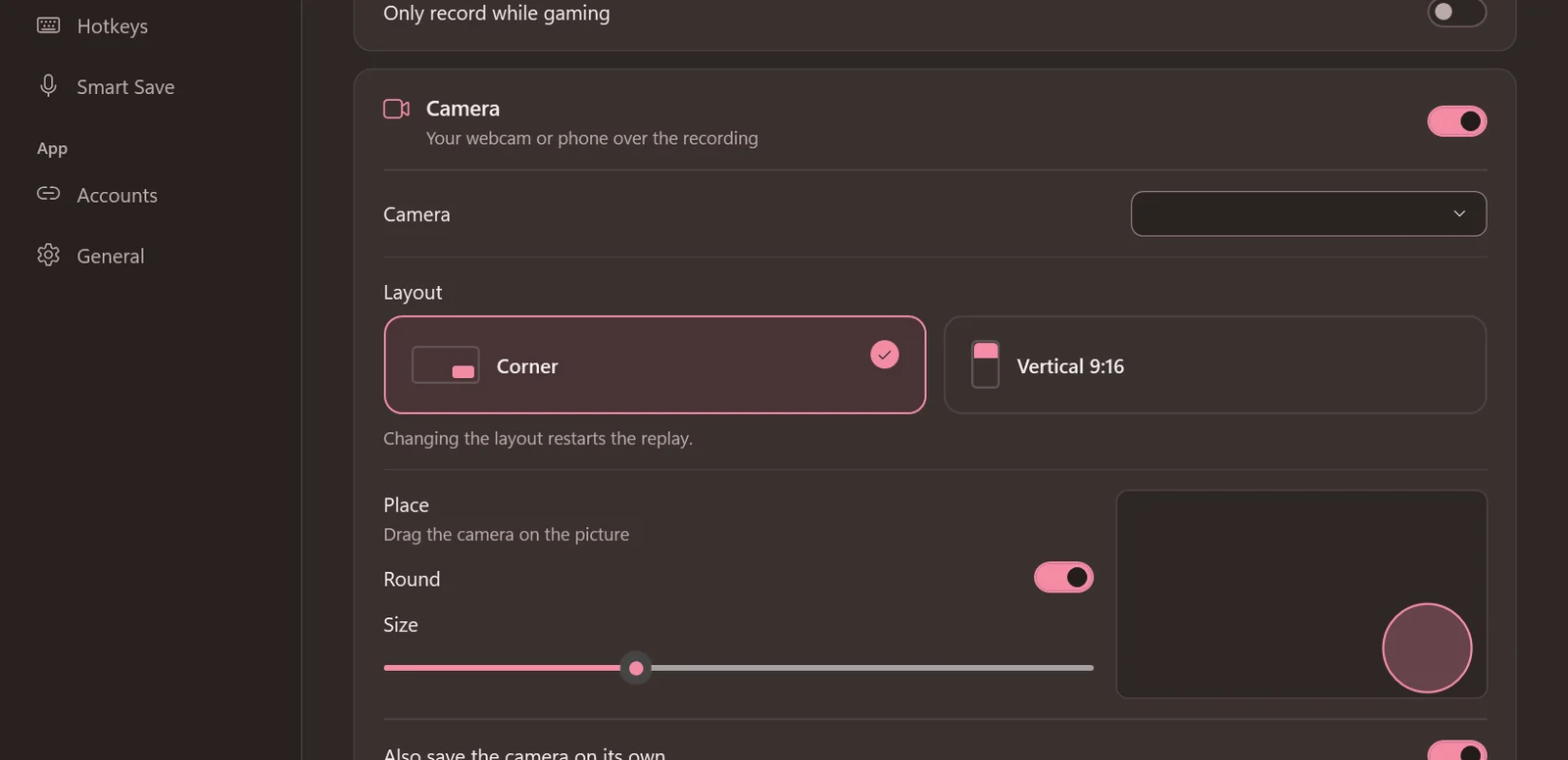
Put your webcam or phone in a corner, square or round, or on top of a 9:16 picture for shorts. Kairos opens it at its sharpest size, up to 1080p.
04
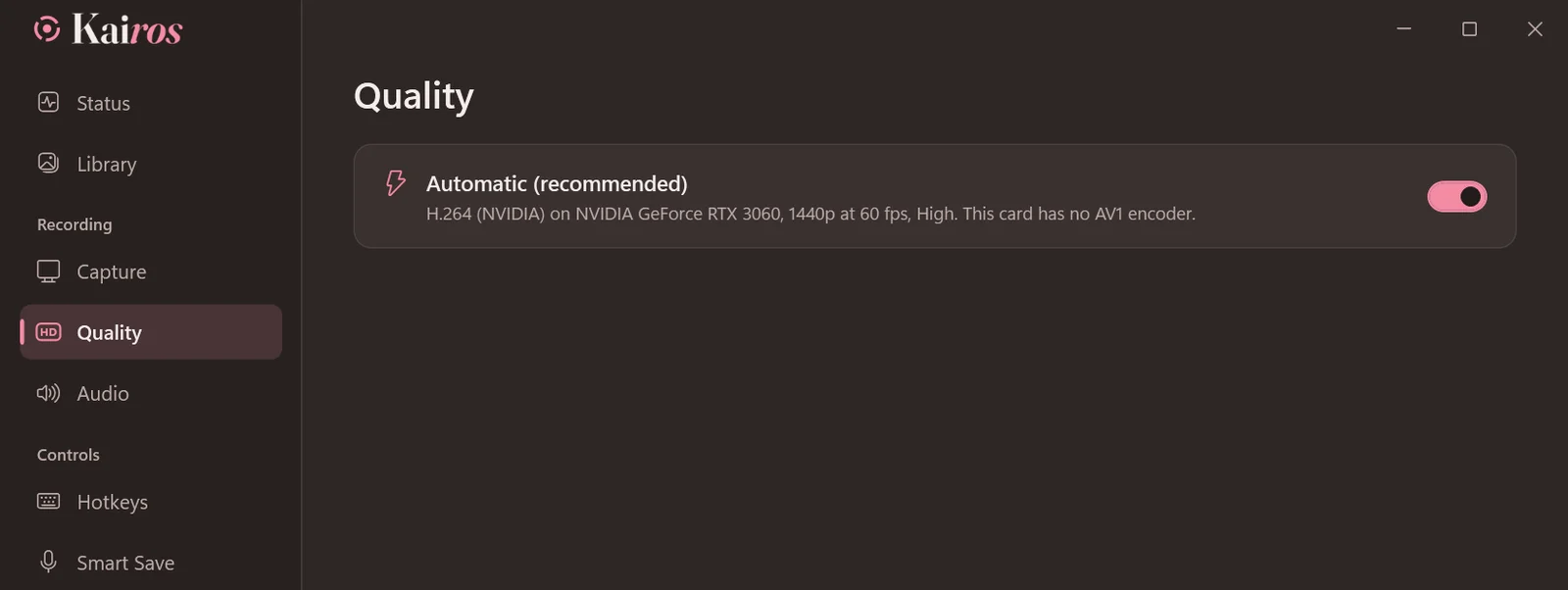
Kairos picks what your PC records best with, in H.264 that plays everywhere, up to 1440p. If a game takes the graphics card, it records lighter by itself instead of stuttering.
05
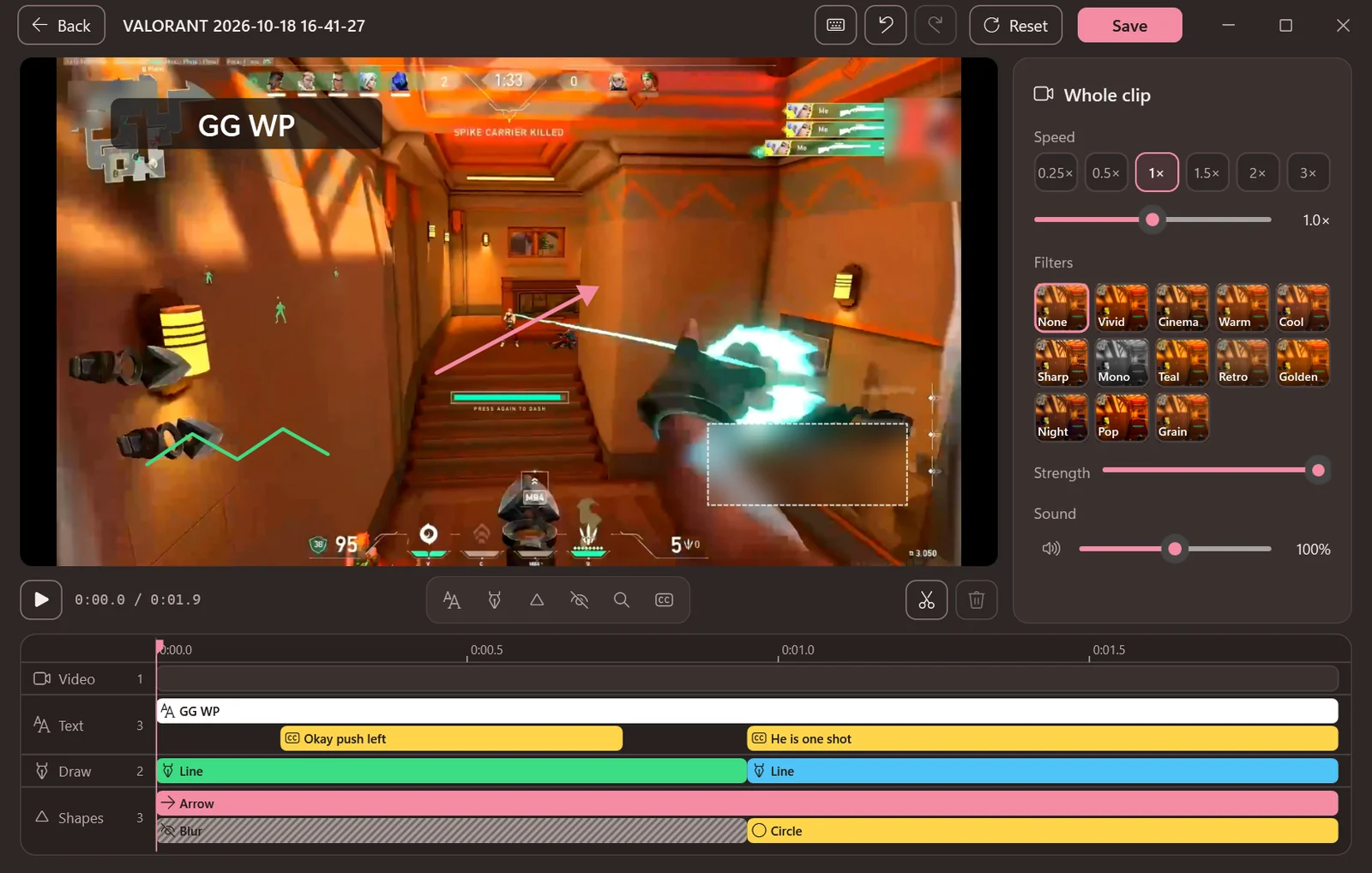
Cut and join parts, change speed and sound per part, add text, auto captions made on your PC, drawings and blur, and now zoom into any area of the picture.
06
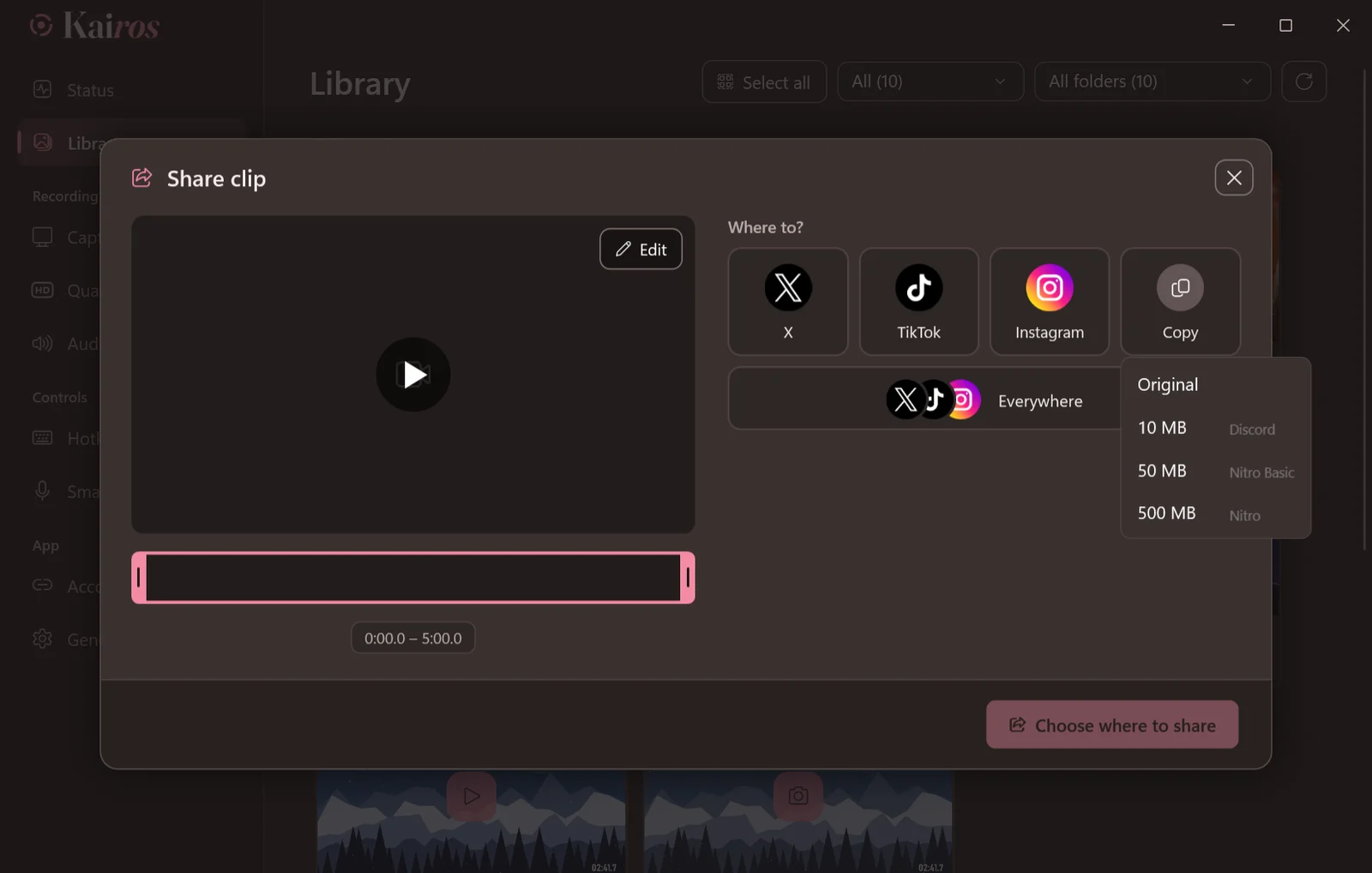
Copy a clip made to fit Discord’s 10, 50 or 500 MB, drag it straight into a chat, or let Kairos post it to X, TikTok or Instagram for you.
07
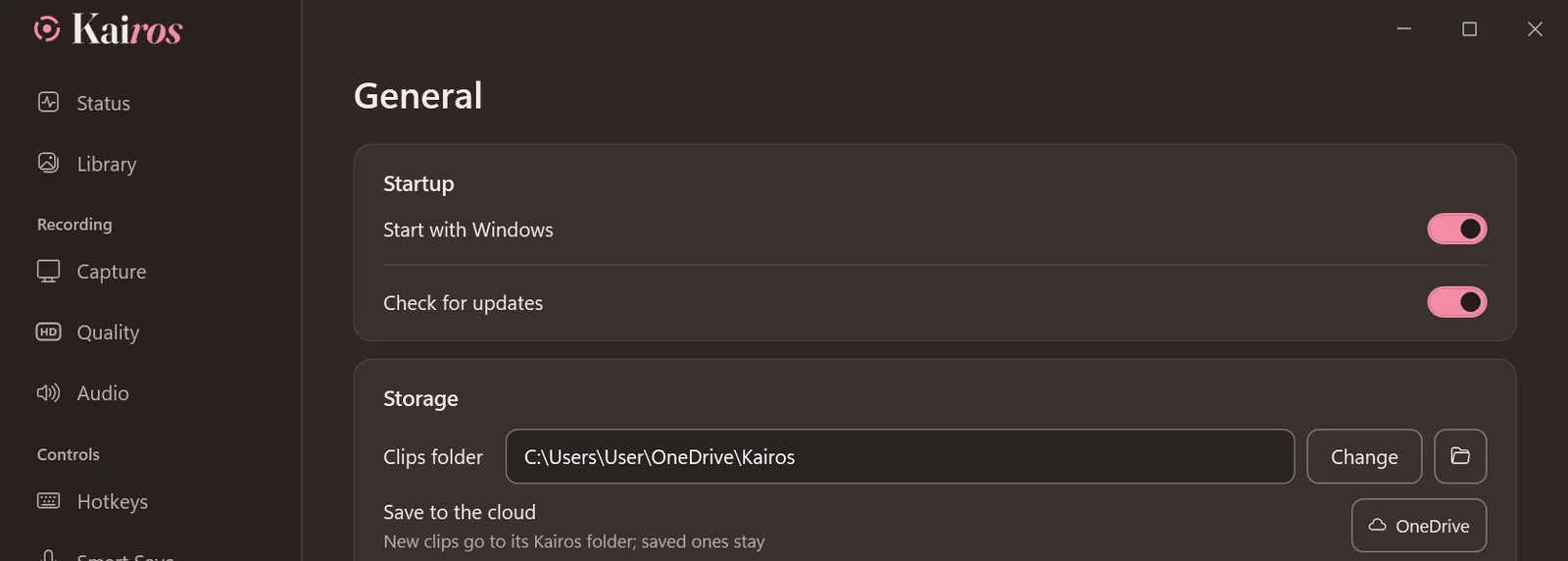
Save to OneDrive, Dropbox or Google Drive in one click. OneDrive and Dropbox can free the copies on your PC.
08
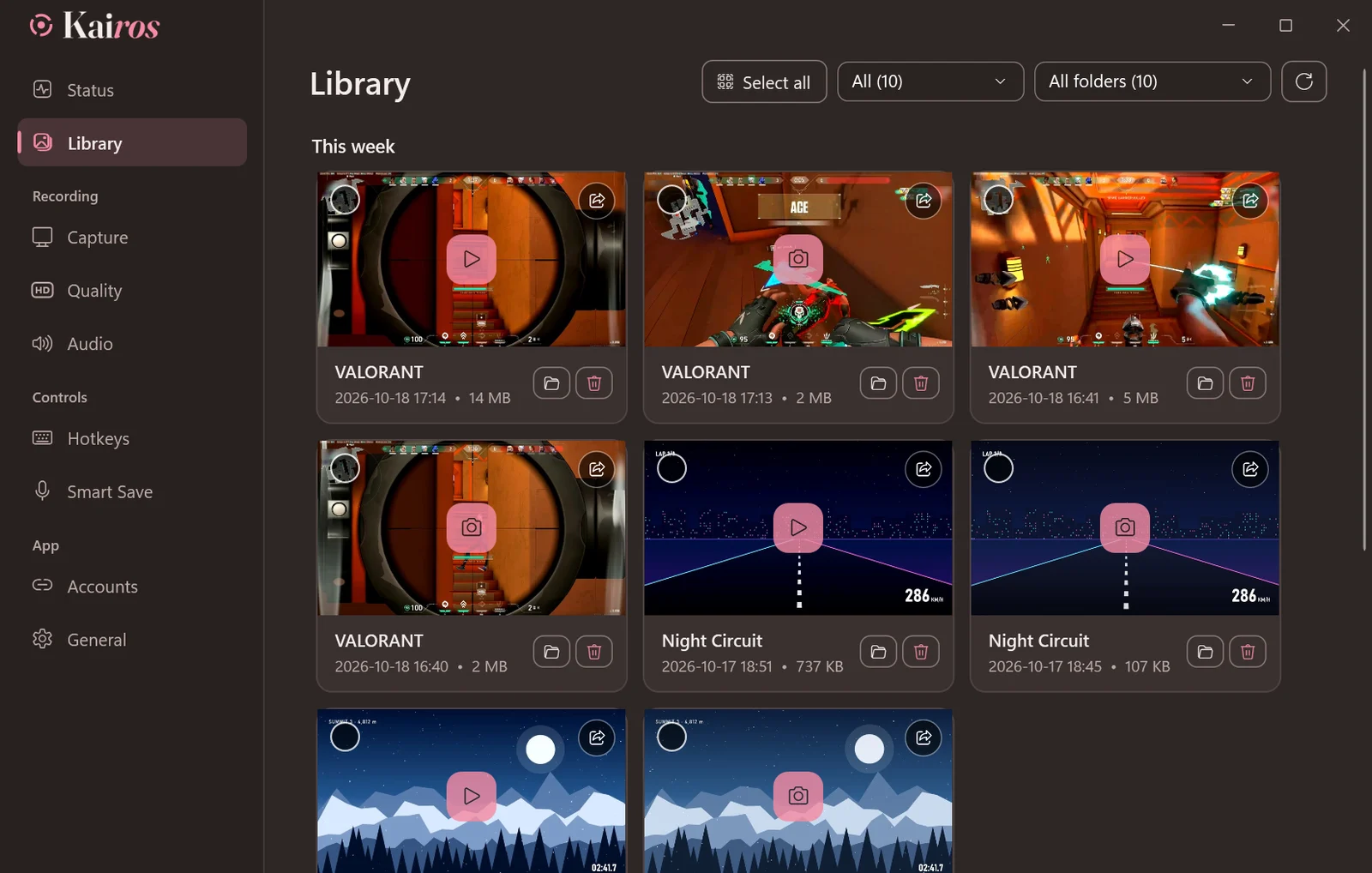
Clips and screenshots by day and by game, a player that jumps where you click, and a size limit that moves the oldest to the Recycle Bin.
Windows 10 (version 2004 or newer) or Windows 11, 64-bit. A graphics card with a video encoder (NVIDIA, AMD or Intel) is recommended.